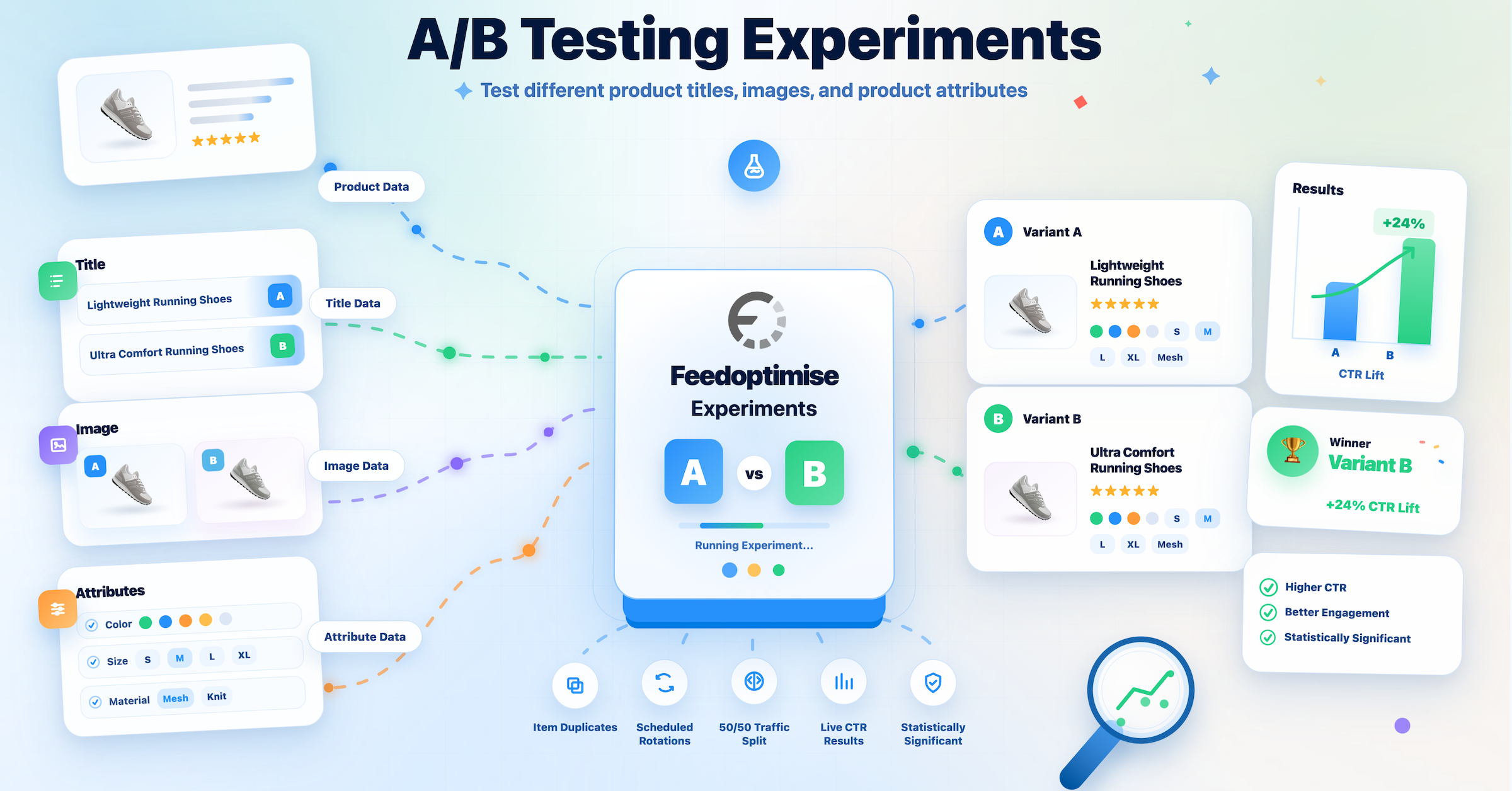
Feed experiments now run against a retailer’s own item-level reporting and return a verdict per report and per SKU, only when the data clears every check.
UNITED KINGDOM, September 16, 2026 /EINPresswire.com/ — Feedoptimise Upgrades Its Product Feed A/B Testing Suite With a Statistical Significance Decision Engine
Feed experiments now read the retailer’s own item-level reporting from Google Ads, Analytics, Merchant Center, Shopify, WooCommerce, Magento, Centra and Facebook, and Feedoptimise rules on whether a tested change actually won, per report and per SKU.
Feedoptimise, a product feed management and optimization company, has released a substantial upgrade to its A/B Testing Suite. The suite already ran duplicate and rotated experiments on any field in a product feed, from titles and descriptions to images, categories and product attributes. This release connects those experiments to the retailer’s own performance reports and adds a decision engine that rules on statistical significance.
You can compare two numbers in a spreadsheet. The difficulty is knowing whether the gap means anything. Feeds compete inside an auction where traffic shifts with day of week, competitor bids, budget pacing and seasonality, so a 4% CTR gap between two title formats carries no signal for most catalogs. Teams act on gaps that size anyway and roll the winning format out to 40,000 SKUs.
New in this release
Tests that run on your own numbers. Feedoptimise already pulls item-level reporting from Google Ads, Google Analytics, Google Merchant Center, Facebook, Shopify, WooCommerce, Magento, Centra or a custom URL-based report. Experiments now read from that reporting. You point a test at a report you already run, tell the platform which of your columns hold impressions, clicks, sales, cost and revenue, and the decision engine works from there. No separate tracking setup, and no exporting numbers into a spreadsheet to compare them by hand.
The result comes as a range. A headline figure like 8% better describes what happened during the test. It says little about what you get when the change reaches the whole catalog. Feedoptimise reruns the math against your daily data thousands of times to work out how far that figure could move, then reports a range. A range that sits above zero from end to end wins. A range that runs from below zero up into positive territory leaves the same 8% inconclusive, and the suite reports it that way. A timeline charts the range for each day of the test, so you can see whether the result is settling down or still swinging, and you avoid stopping early on one good day.
Thresholds a test clears before Feedoptimise calls it. The suite declares a winner only after a test has run long enough and collected enough data to mean something. The defaults ask for at least 14 days, plus a minimum volume of impressions, clicks and sales on each version separately rather than added together. The improvement also has to be large enough to be worth acting on, and the result has to hold up as more than one good week. You can change every one of those thresholds to suit your catalog and your traffic. Feedoptimise holds the last few days of data out of the sample so sales that land late still count.
A win on one number cannot come at the cost of another. Alongside the metric you set out to improve, the suite tracks return on ad spend, the share of visitors who buy and what each click costs. A title that earns far more clicks while leaving you with fewer sales comes back as Guardrail failed.
Results for individual products. One catalog-wide figure hides the products a change helped and the products it hurt. The Product decisions tab scores each product on its own and shows which threshold produced its status, so you can roll the winning title out to the products that earned it and leave the rest alone.
Nine verdicts, seven of which decline to decide. Alongside win and loss, the suite returns verdicts such as waiting for exposure, waiting for conversion lag, insufficient data and guardrail failed. Most tests do not produce a clear winner, and the suite says so rather than picking one.
Winners wait for your approval. Feedoptimise saves winning values to a static sheet that sits outside the live feed, and a preview shows you the exact rows beforehand. Applying that sheet is a separate step, so nothing reaches the channel until someone signs off on it. You can review any rollout later and undo it.
AI enrichment you can prove
Feedoptimise customers already use AI inside the platform to write titles and descriptions, fill missing attributes and work on product imagery, from cleaning up a supplier photo to placing the product in a different scene. Generating that content costs almost nothing, so the hard part is knowing which version earns more. Enrichment and testing sit in the same system, so you can point a supported model at any attribute or image, run it against what you publish today, and read what it earned in your own reporting before it reaches the wider catalog.
Availability
The upgraded A/B Testing Suite is available to Feedoptimise customers now. Retailers and agencies can start a free trial or book a demo at https://www.feedoptimise.com/product/ab-testing
About Feedoptimise
Feedoptimise is a product feed management and optimization company. Online retailers and agencies use the platform to manage, transform and optimize product data across advertising channels, marketplaces and comparison shopping engines, combining feed rules, AI enrichment and A/B testing in one system. More at https://www.feedoptimise.com/
Marcin Rosinski
Feedoptimise
+44 20 3355 3733
press@feedoptimise.com
Visit us on social media:
LinkedIn
YouTube
X
Product Feed A/B Testing with Statistical Significance
Legal Disclaimer:
EIN Presswire provides this news content “as is” without warranty of any kind. We do not accept any responsibility or liability
for the accuracy, content, images, videos, licenses, completeness, legality, or reliability of the information contained in this
article. If you have any complaints or copyright issues related to this article, kindly contact the author above.

Media gallery